
Know what the platform costs
Public pricing, plan limits, and booking fees are visible before an operator books a demo or changes their booking process.
ReservKit helps rental, tour, and experience businesses take direct bookings, collect payments through Stripe Connect, gather waiver evidence, handle refundable damage deposits, and give staff a clear day-of view.
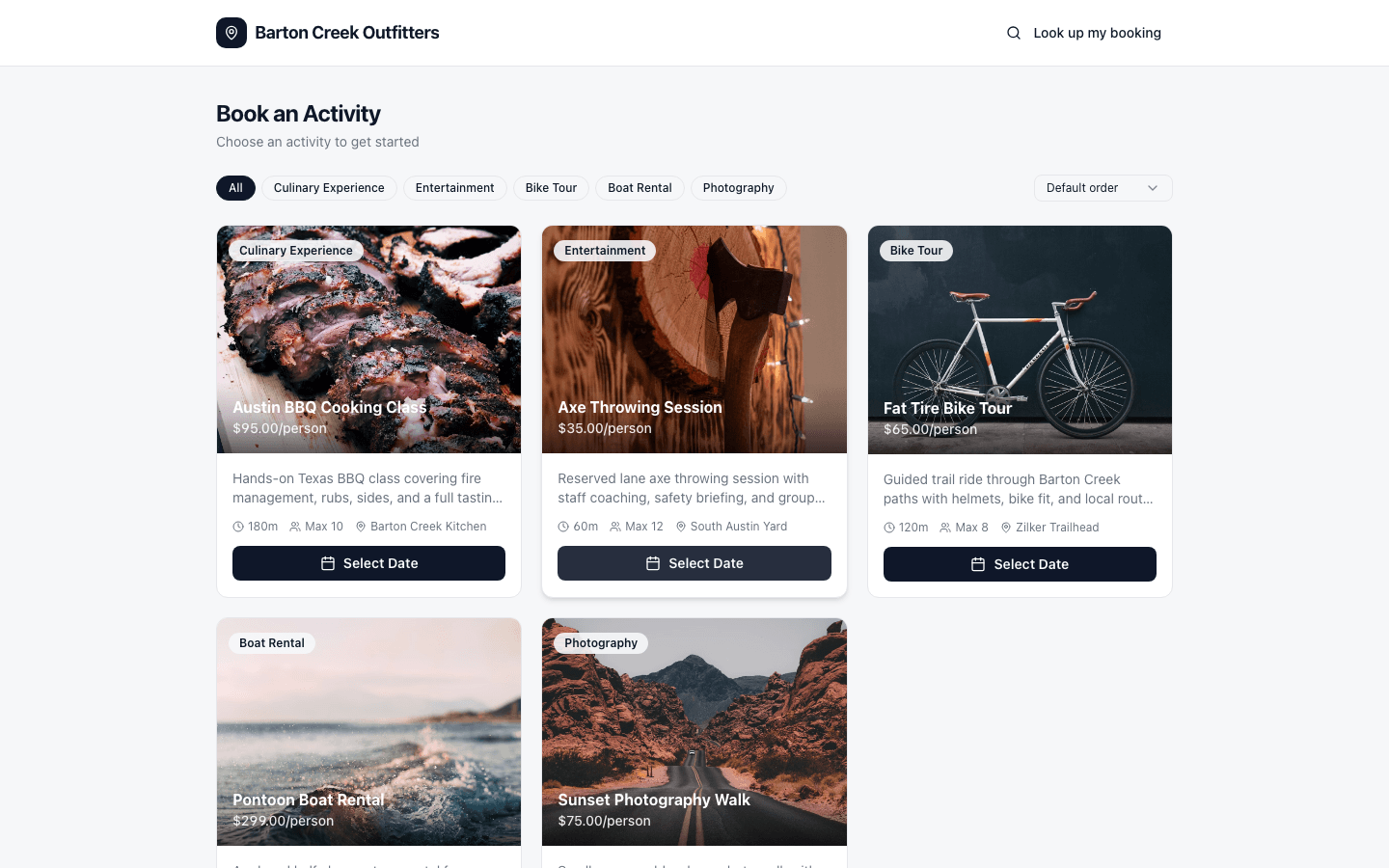
A booking platform should help you sell online without hiding fees, taking over the payment relationship, or scattering waivers, refundable damage deposits, and day-of work across disconnected tools.
Public pricing, plan limits, and booking fees are visible before an operator books a demo or changes their booking process.
Stripe Connect lets operators use their own Stripe account while Stripe controls payout timing, processing fees, and connected-account money movement.
Waiver evidence, refundable damage deposits, guest counts, notes, staff context, and check-in status live with the booking record.
Operators should be able to understand the monthly cost and per-booking fee before they spend time in a demo.
ReservKit uses Stripe Connect so customer payments route through Stripe instead of a platform-owned payment relationship.
Customers can sign digital waivers before arrival. Signed records stay tied to the booking with identity checks, timestamps, signature evidence, and audit details.
Check-in lists, payment status, waiver status, guest counts, and assigned work should be visible before the first group arrives.
The risky part is not buying new software. It is changing your booking flow without breaking your season. Guided setup is built around a tested switch: one working activity, one payment path, one waiver path, and one booking link before you move traffic.
Activities, durations, refundable damage deposits, waiver needs, staff handoffs, cutoff rules, and the links customers use today.
Set up your first bookable activity, Stripe account, availability, waiver requirements, and customer confirmation flow.
Run a real test booking end to end so you see the customer flow, operator record, payment handoff, and waiver path before launch.
ReservKit helps rental and experience operators take direct bookings, collect Stripe payments, manage waiver evidence, and run day-of operations from one workspace.
Booking page
Customers choose an activity, review availability, enter guest details, and move toward checkout without phone tag.
Stripe payments
ReservKit creates the Stripe Connect checkout flow and routes the connected-account payment through Stripe. Stripe controls payout timing, processing fees, and connected-account money movement.
Waivers
Attach one or more waiver templates to an activity. Guests verify by email, sign before the trip, and the signed record stays tied to the booking with audit details.
Day-of operations
Your team can see arrival readiness, assignments, waiver status, and operational notes before the group shows up. Owners and admins keep revenue reporting separate.
If your business does tens of thousands in monthly bookings, small booking-fee differences become real money. ReservKit keeps the model visible: monthly plan plus a published booking fee, with lower rates on higher-volume plans.
See the pricing pageExample pressure
$60k/mo
At that volume, a 1 percentage point fee difference is about $600/month before processing fees. Operators should be able to see the math before committing to a platform.
Free covers the core booking flow at low volume. Starter adds team access, and Growth unlocks the deeper operator tools.
4% booking fee
10 bookings/month
For setup, testing, and first live bookings before you commit to a paid plan.
3% booking fee
100 bookings/month
For small operators who need the core direct-booking workflow.
2% booking fee
Unlimited bookings
For growing teams that need unlimited bookings, waivers, broadcasts, reports, coupons, refundable damage deposits, and add-ons.
1.5% booking fee
Unlimited bookings
For higher-volume teams needing deeper operational support.
Custom booking fee
Custom volume
For operators with larger rollout, migration, or support needs.
Start on Free, connect Stripe when you are ready to take paid bookings, and upgrade only when your operation needs more volume or staff tools.
Need to try it at very low volume? The Free plan includes 10 bookings/month at 4% — no subscription required.
Stripe’s published processing fees apply separately. ReservKit’s booking fee is charged on the booking subtotal. Tips, taxes, operator service fees, and refundable damage deposits are not marked up.
ReservKit connects bookings, payments, waivers, and staff in one place. These representative screens show the operator workflows ReservKit is built around.
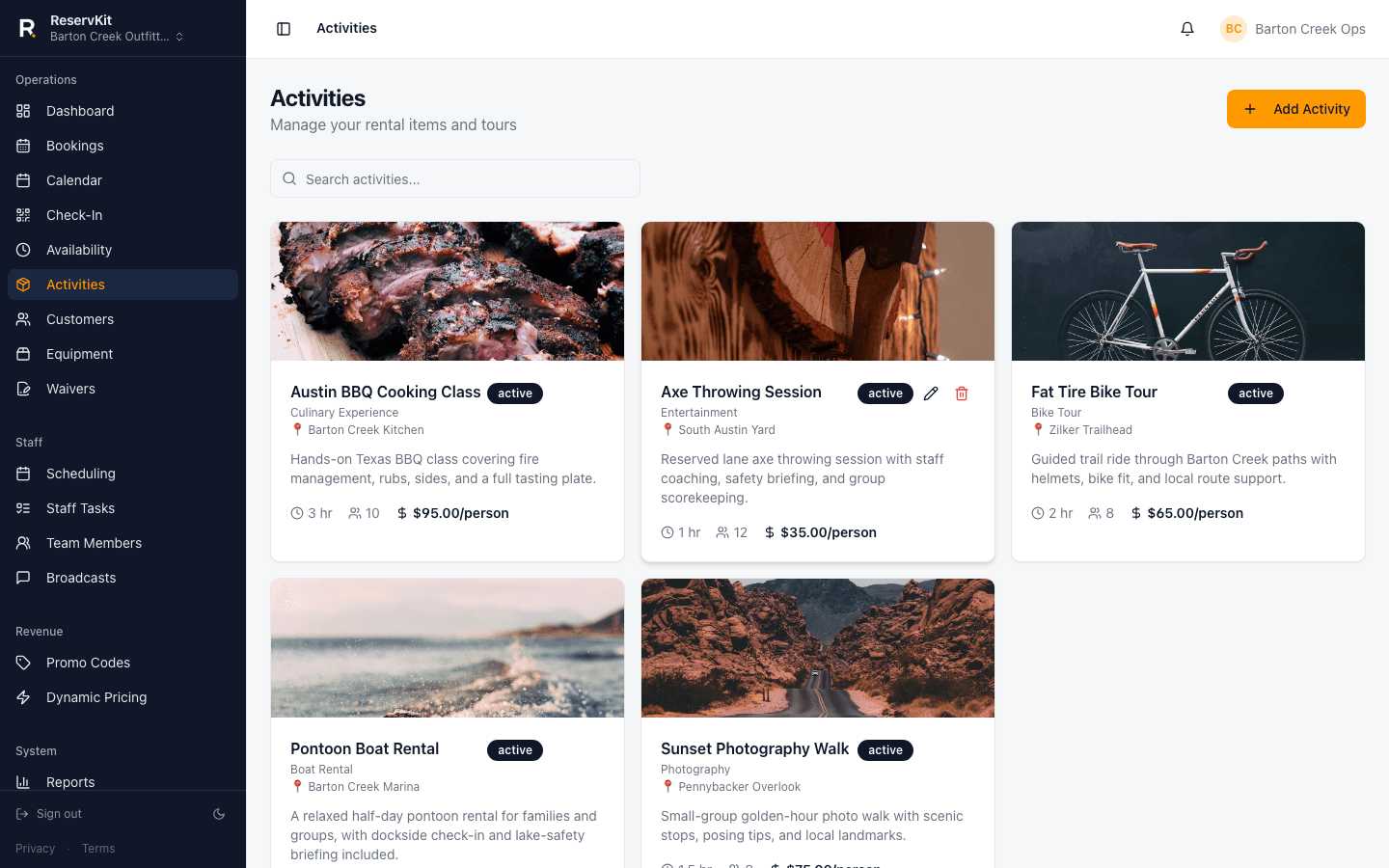
Activities
Activities carry the customer-facing photos, descriptions, locations, pricing, duration, capacity, and waiver setup that power the live booking page.
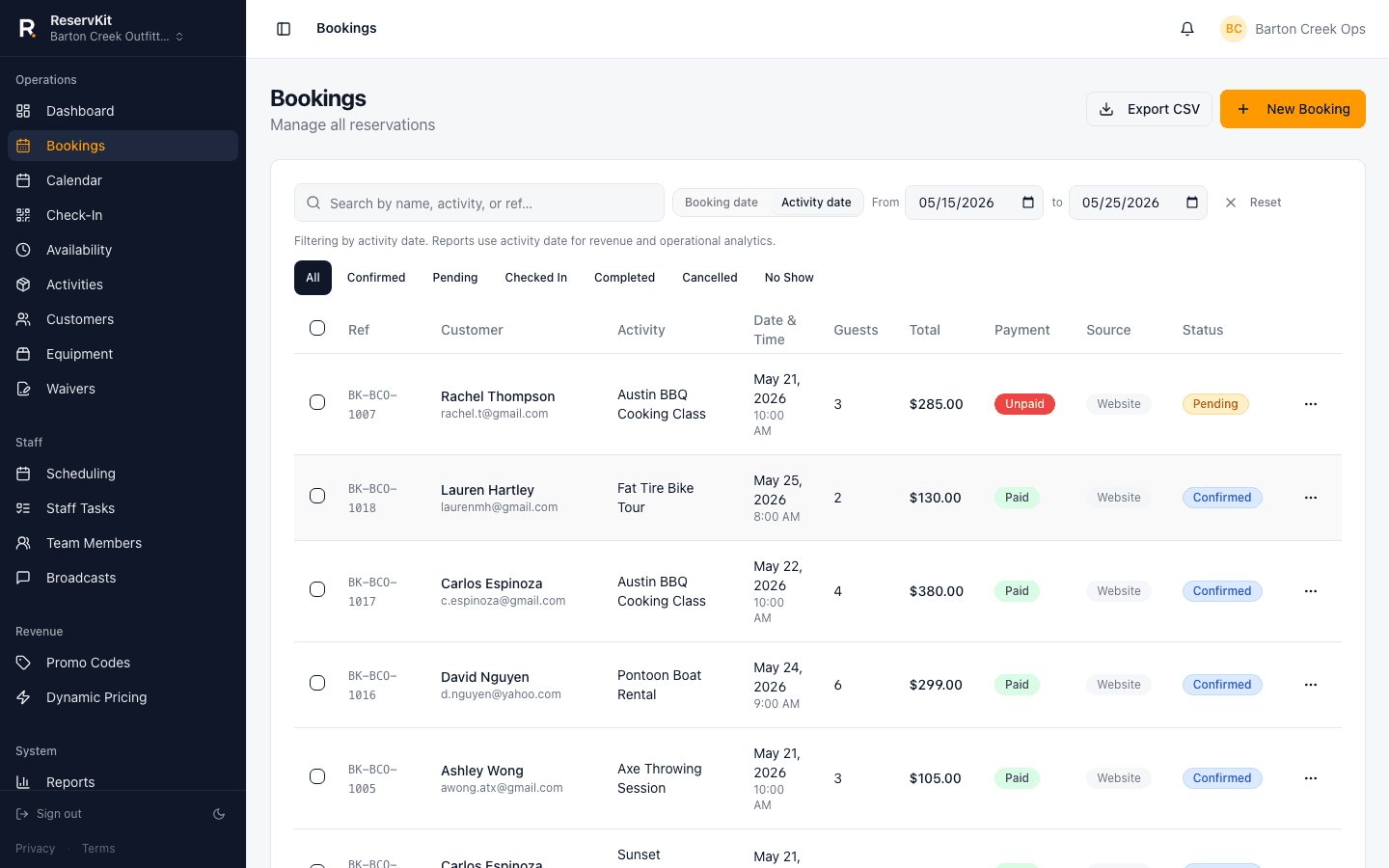
Bookings
The bookings list ties together the guest, activity, time slot, payment status, waiver status, assigned staff, and any operator notes — all in a single view.
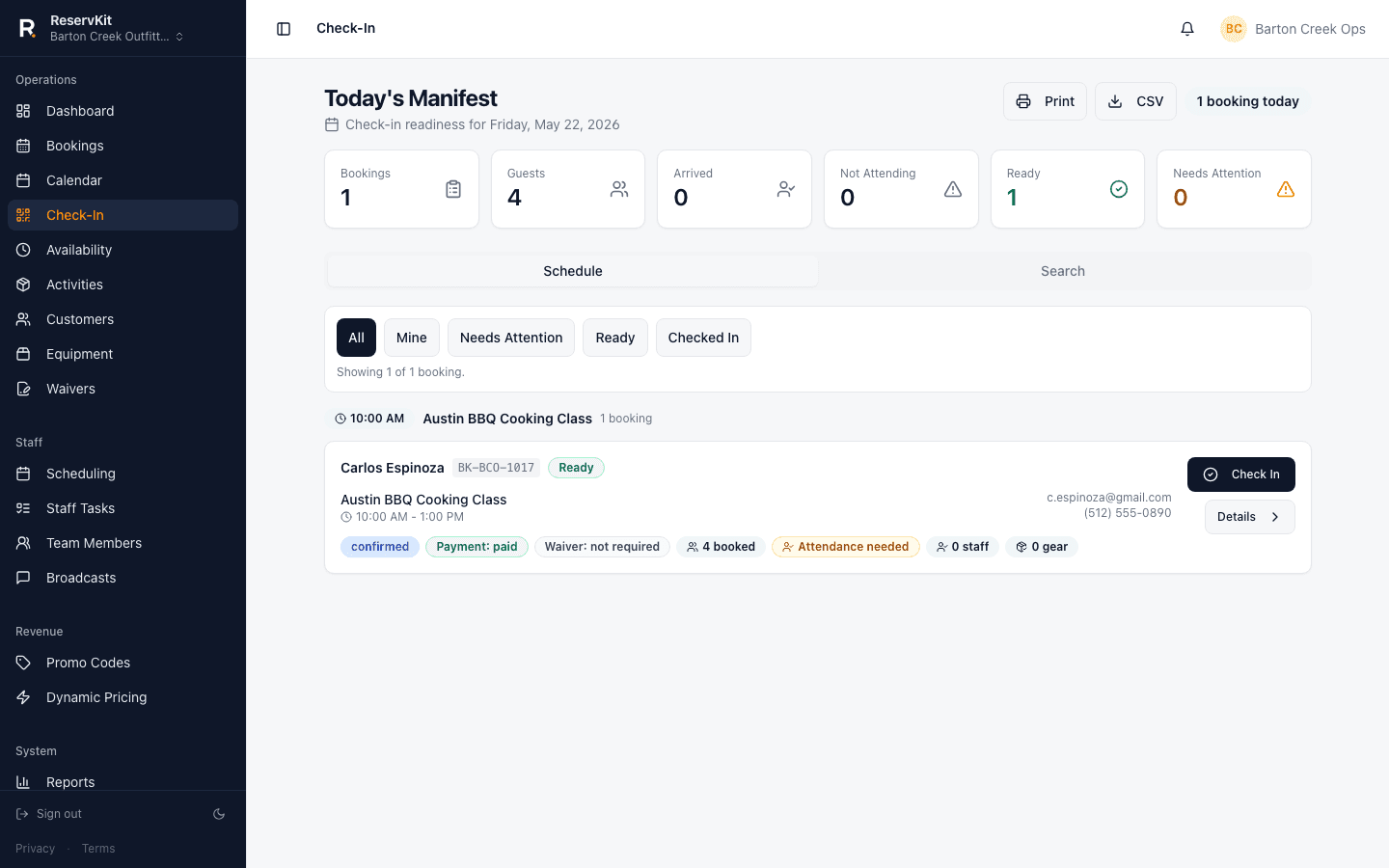
Day-of operations
The check-in manifest separates ready bookings from the ones that need attention. Staff can mark arrivals, verify waivers, and track the day without a group text.
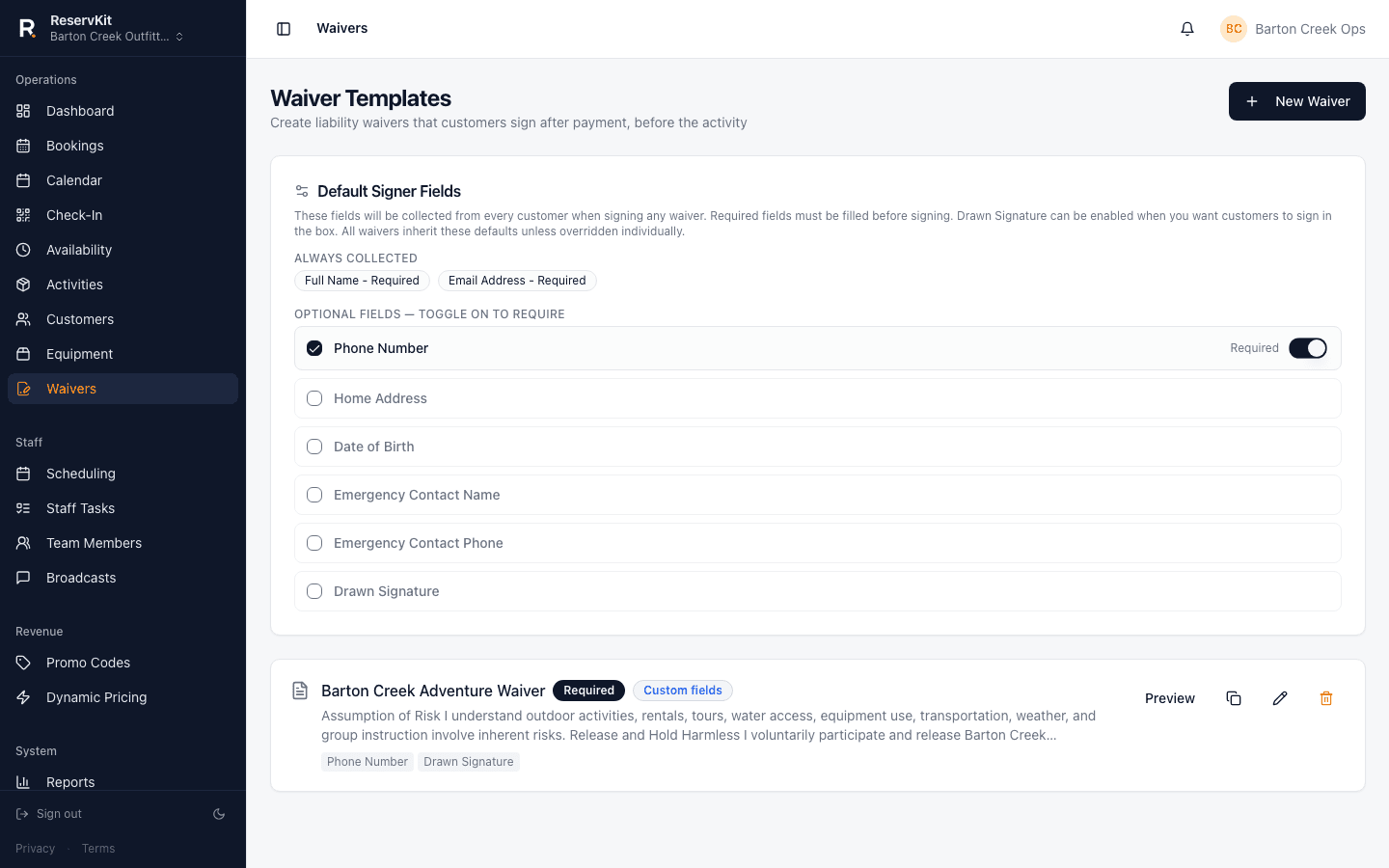
Waivers
Required waivers attach to activities. Guests can open the waiver hub after booking, verify by email, and sign each required waiver. Signed records stay tied to the booking with verification timestamps, IP/device context, signature evidence, and the exact waiver text accepted.
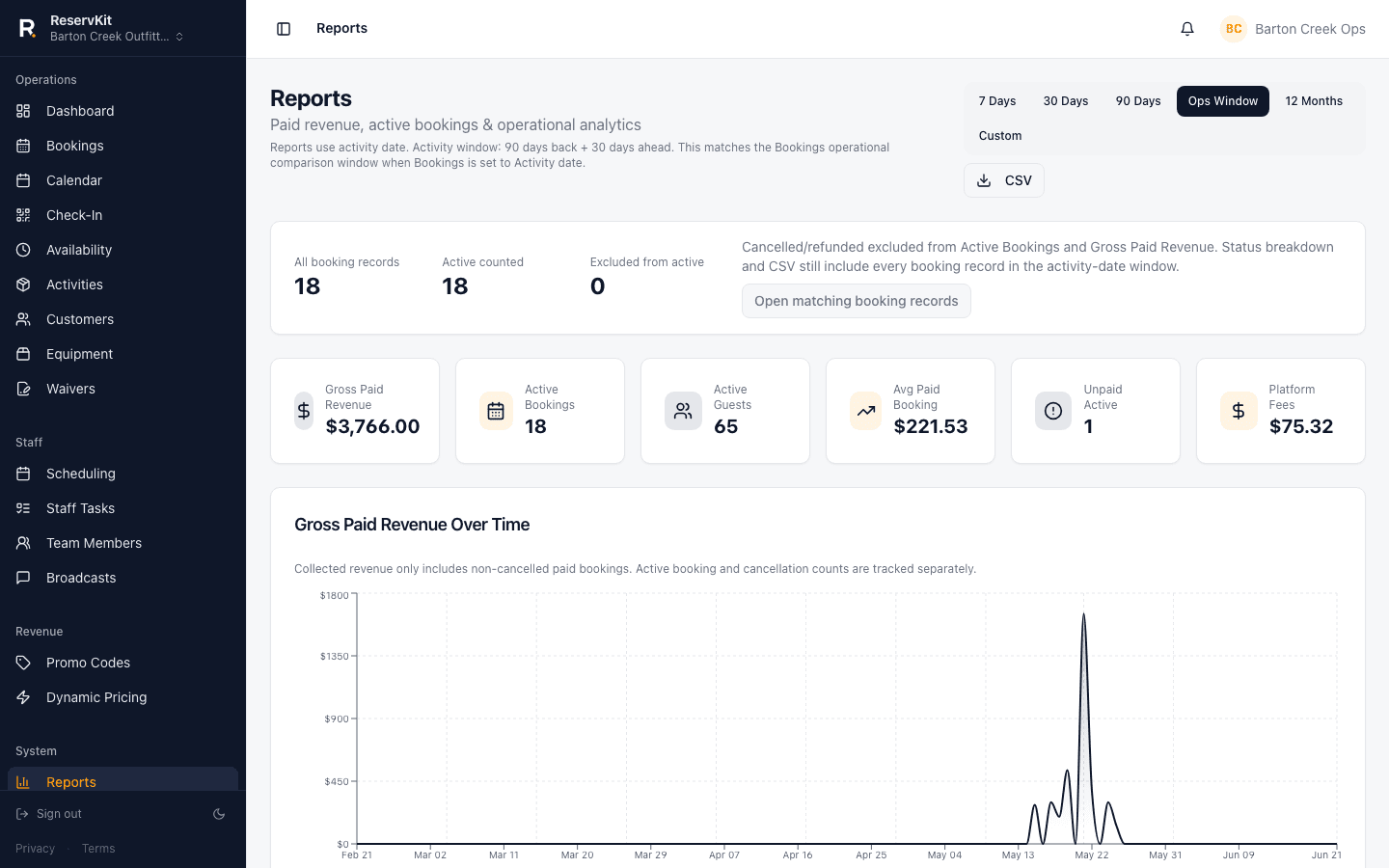
Reports
Reports separate booking income from customer tips, show booking fees, and make activity performance easier to review by date range.
Setup is focused on a working booking path: Stripe, one activity, waivers, and a test booking before you share the link.
Link your existing Stripe account or create one before taking paid bookings.
Name it, set pricing, guest limits, availability windows, and cutoff rules.
Build your waiver templates once, then assign the required templates to each activity.
Go through the full customer flow yourself before sharing with anyone.
Add the tested booking link to the places customers already find you.
ReservKit is live booking software for operators who need the core path before they switch traffic: direct bookings, Stripe payments, waiver evidence, refundable damage deposits, check-in, staff context, reports, and optional guided setup.
The homepage uses real ReservKit screens from configured public booking and operator workflows, with captures reviewed before broader marketing.
Payments are designed around your Stripe account instead of a platform-owned payment relationship.
Start with one working booking flow, run a test booking, then decide when to move real traffic.
Operators deserve to know what they owe, keep the payment relationship in their own business, and get set up without a weeks-long evaluation process. That is why I built ReservKit.
Yes. ReservKit is available through public Free-first signup for rental, tour, and experience operators. Operators can start on Free, build the first booking flow, and upgrade from Billing when they need more volume or staff tools.
Yes. Guided onboarding is built around switching safely: configure activities, availability, waivers, Stripe, booking rules, and test bookings before sharing your ReservKit link. Existing data migration depends on the export available from your current platform.
Customers pay through Stripe Checkout. ReservKit uses Stripe Connect to create the checkout flow and route the connected-account payment through Stripe.
No. Customers can book, pay, sign required waivers, and receive their confirmation without creating a ReservKit account.
Public plans are Free ($0/mo + 4%, 10 bookings/month), Starter ($79/mo + 3%, 100 bookings/month), Growth ($149/mo + 2%, unlimited), Pro ($299/mo + 1.5%, unlimited), and Enterprise custom.
Start on Free, build one working booking flow, and request guided setup help when you want a second set of eyes before sharing your link.
Start freePricing is published upfront. Monthly plans can be cancelled from the billing portal.